Custom Bot (Whitelabel)
How to get started with configuring your custom bot!
Melpo Verifier allows you to run Melpo's code under your very own Discord Bot username and avatar completely managed by us. This way you can easily create an identity that fits your community without any Melpo branding!
Make sure you have done the following to get started:
- Either an active subscription on Ko-Fi
- Or a prepaid plan also available on Ko-Fi
- make sure to link your Discord account to your Ko-Fi.
Step 1: Create a Discord Application
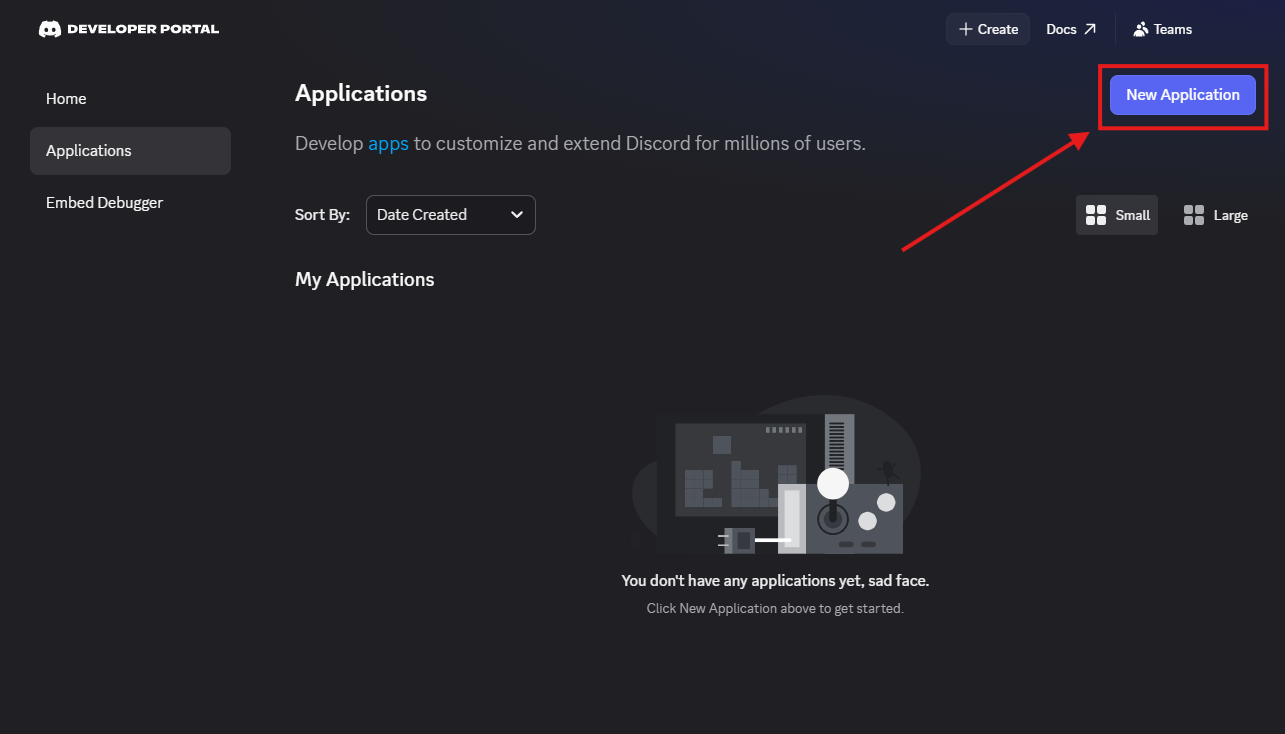
- Go to the Discord Developer Portal.
- Click on New Application
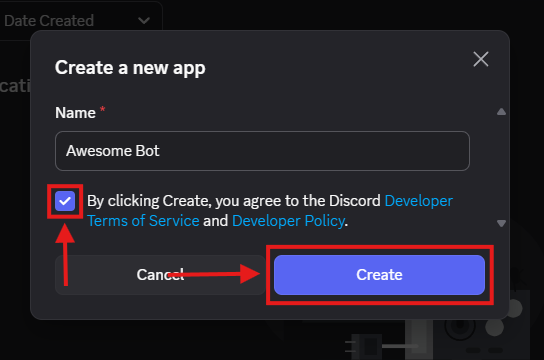
- give your bot a name, and click Create.
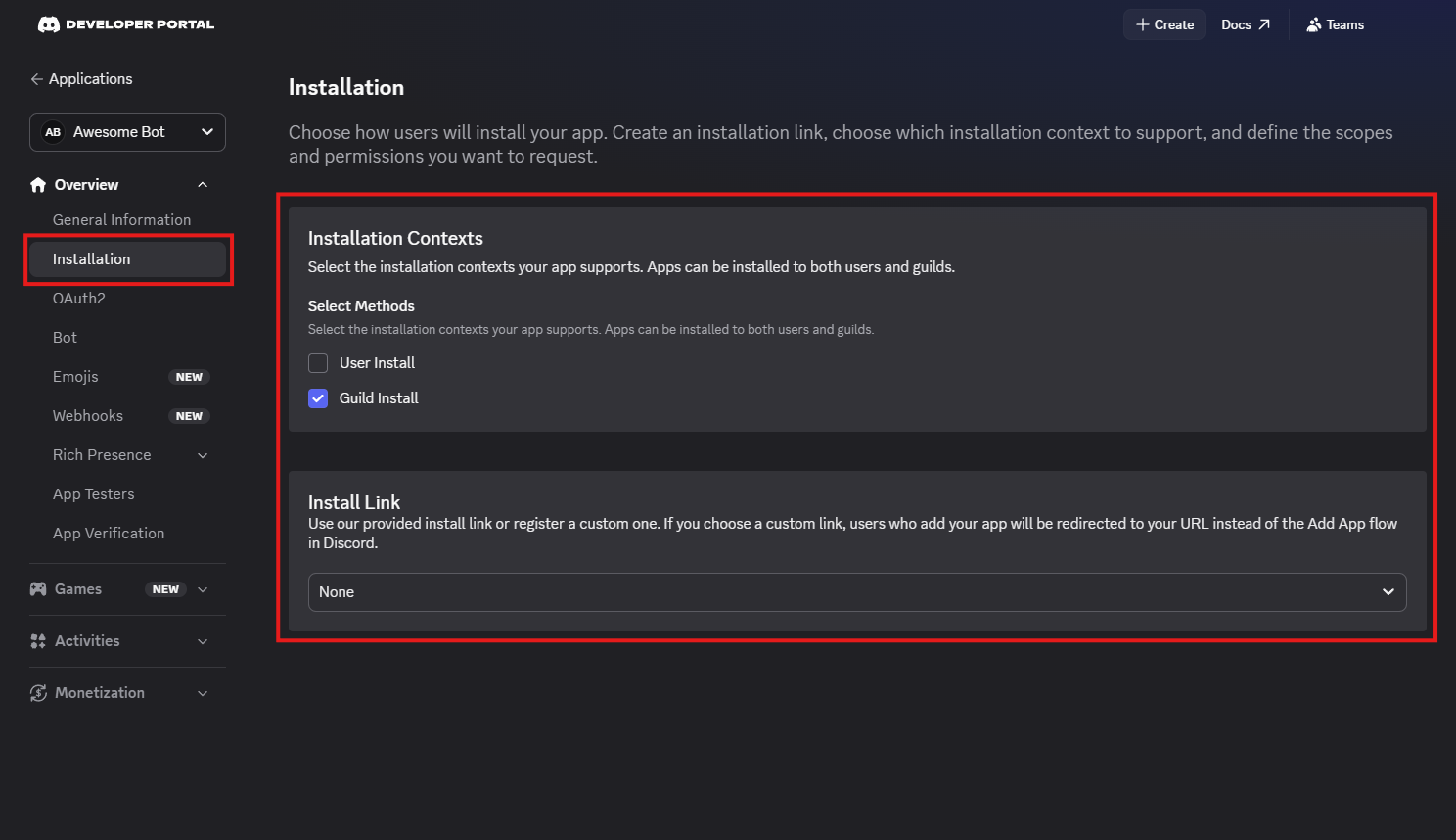
Step 2: Ensure others cannot invite bot from bot's profile.
- On the left sidebar, click on Installation and setup like in the picture below:
Step 3: Configure the Bot and Get the Token
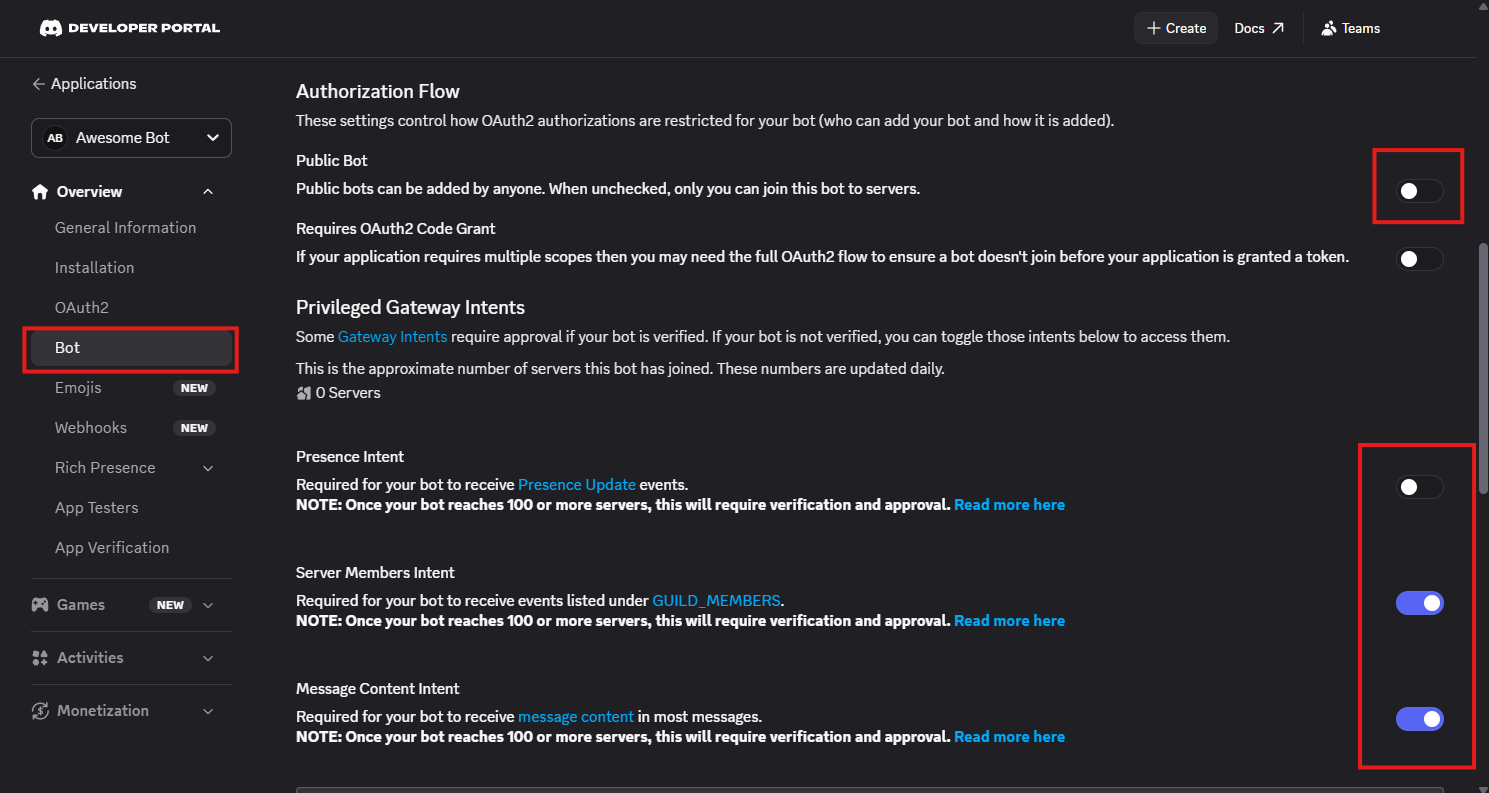
- On the left sidebar, click on Bot.
- Uncheck Public Bot if you don't want anyone else inviting your bot.
- Scroll down to Privileged Gateway Intents and enable:
- Server Members Intent
- Message Content Intent (Without these intents, Melpo will not function correctly!)
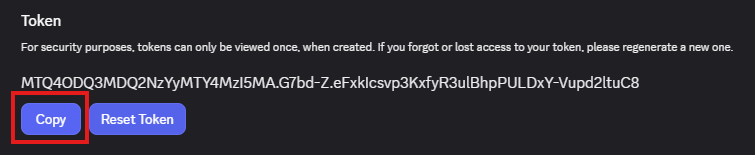
- Click on Reset Token and then click on Copy to retrieve and copy your Bot Token. (Never share this token with anyone outside of the Melpo Dashboard!)
Step 4: Configure on Melpo's Dashboard
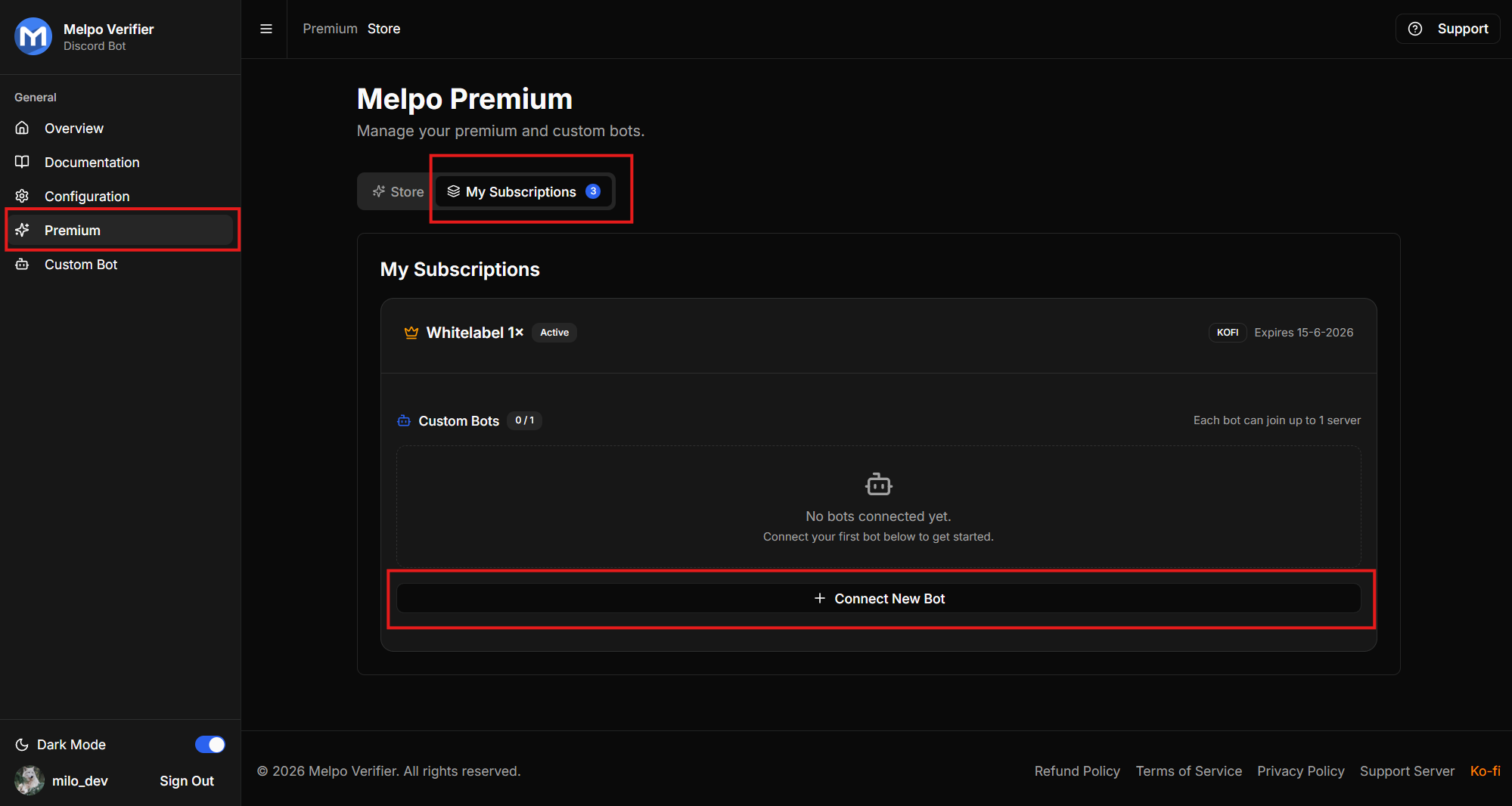
- Navigate to the Premium section on the left sidebar of the Melpo Dashboard and go to the Subscriptions page. Then click on "Connect New Bot".
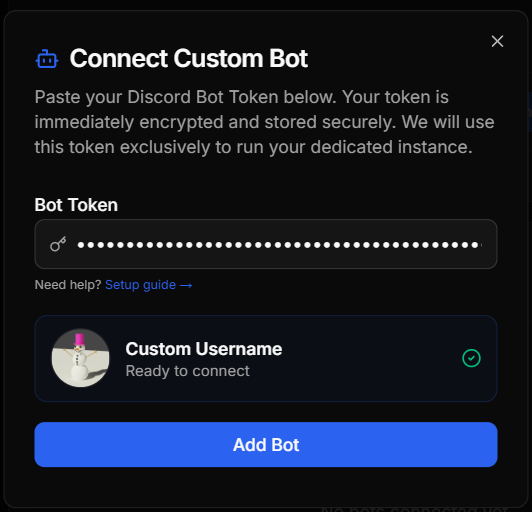
- Enter your Bot Token. (Your bot token is encrypted using aes-256-GCM encryption)
- Click Save Bot Configuration.
Step 5: Customise your bot!
You'll be able to find the following customisations in discord's developer portal:
- About me: Overview -> General information -> description
- Profile Picture: Overview -> Bot -> Icon
- Banner: Overview -> Bot -> Banner
- Username: Overview -> bot -> Username
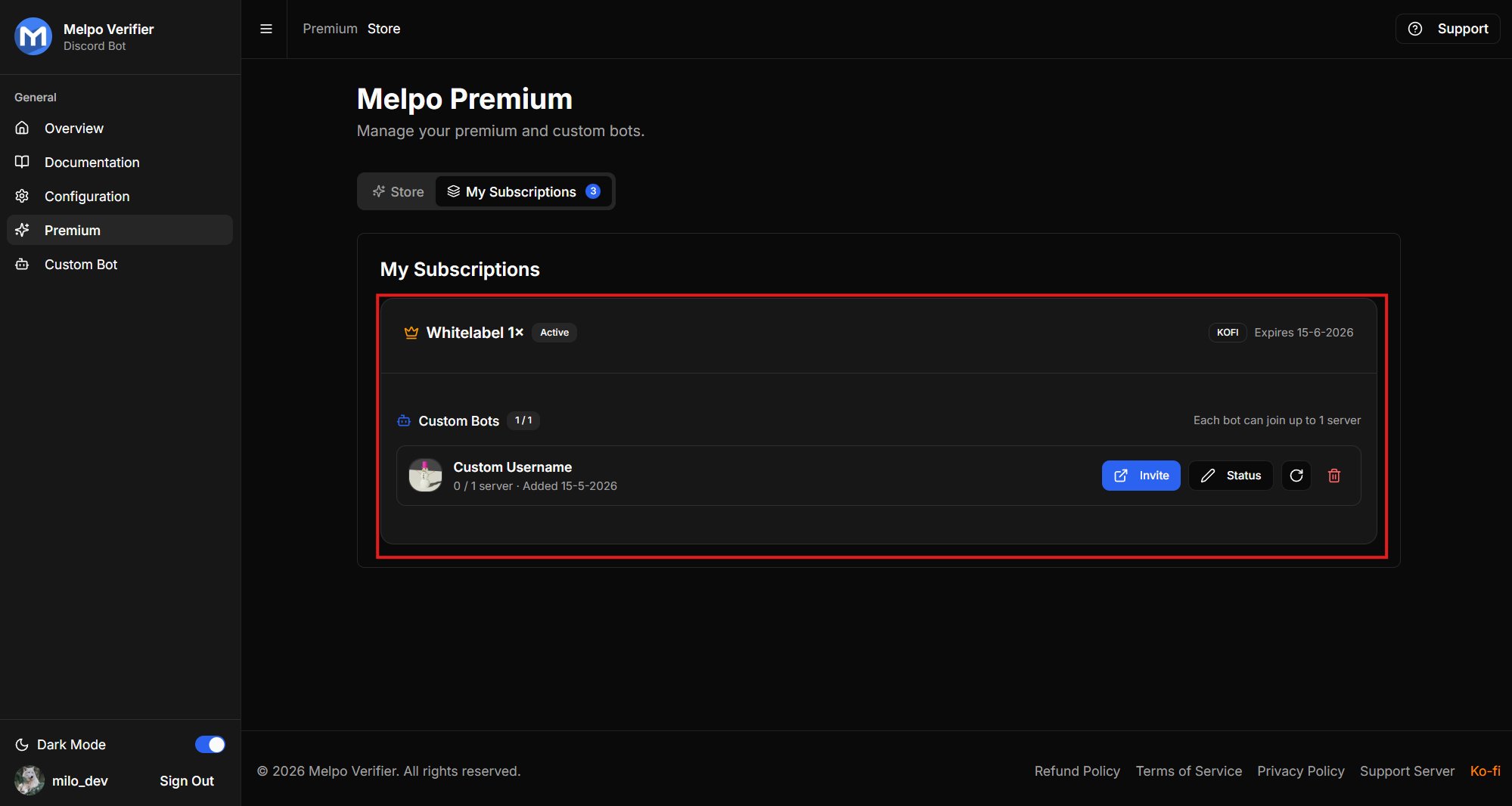
And you'll be able to change the bot's status in the custom bots page or via
/setstatusin Discord. Of course, all of Melpo's customisable are also available to use!
If you've followed these steps and your bot isn't coming online or you don't get access to the custom bot page (which can happen if your Discord wasn't linked with Ko-Fi), feel free to join our Support Server. We'd be happy to solve any problems or questions you may have!